 TIME
TIME


创建一个简单的用户注册页面使用HTML和基本的CSS样式是一个很好的起点。下面是一个基本的示例,展示了如何创建一个简单的用户注册表单。请注意,此示例仅包含前端部分,不包括后端处理逻辑(如数据库存储用户信息)。在后端处理之前,所有提交的数据都应通过后端进行验证和安全性检查。
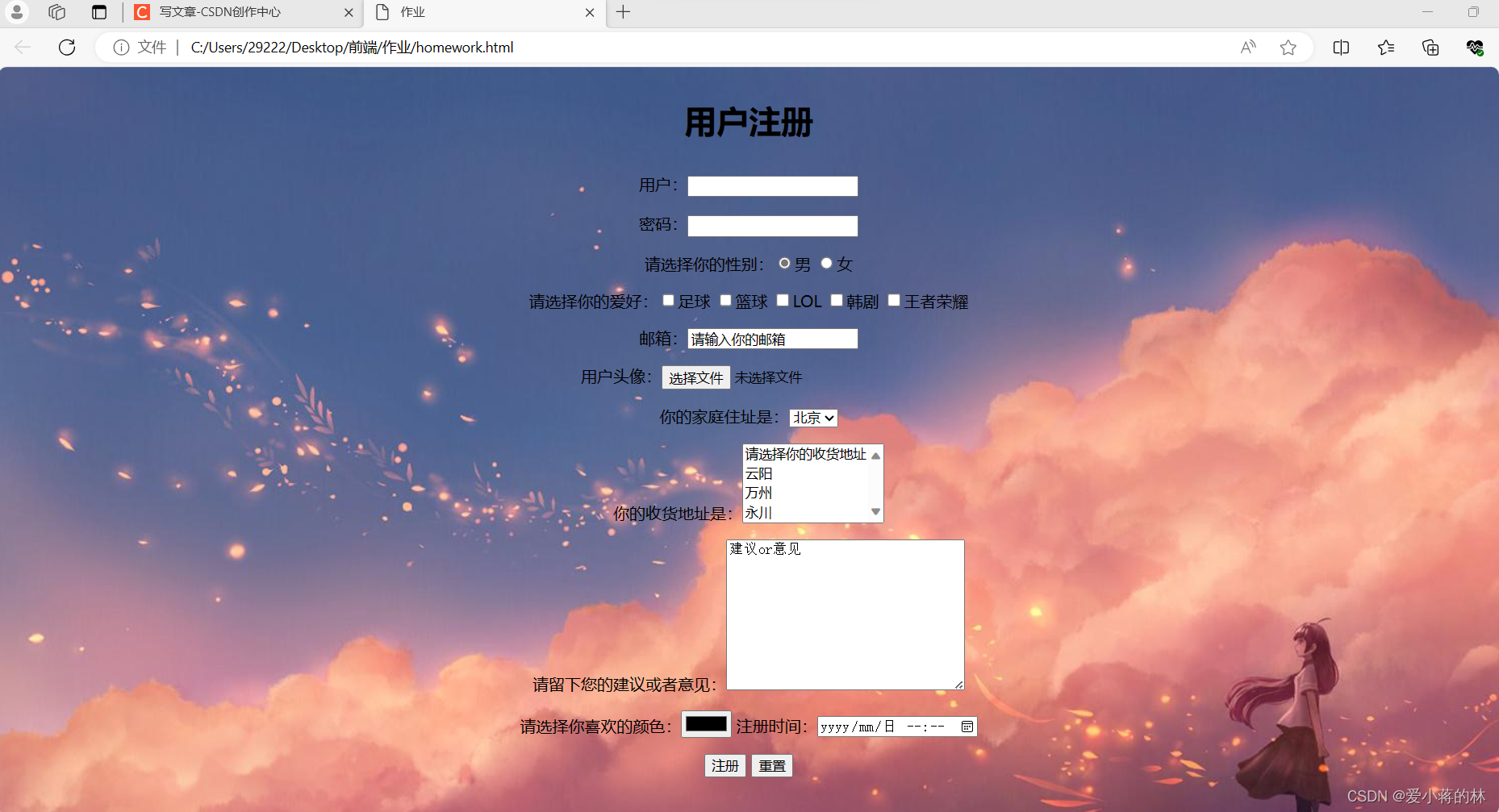
HTML部分:
<!DOCTYPE html>
<html lang="zh">
<head>
    <meta charset="UTF-8">
    <meta name="viewport" content="width=device-width, initial-scale=1.0">
    <title>用户注册</title>
    <style>
        body {
            font-family: Arial, sans-serif;
            display: flex;
            justify-content: center;
            align-items: center;
            height: 100vh;
            background-color: #f4f4f4;
        }
        .container {
            width: 300px;
            padding: 20px;
            background-color: #fff;
            box-shadow: 0 0 10px rgba(0, 0, 0, 0.1);
        }
        h2 {
            text-align: center;
        }
        form {
            display: flex;
            flex-direction: column;
        }
        input[type="text"], input[type="password"] {
            margin-bottom: 10px;
            padding: 10px;
            width: 100%;
        }
        input[type="submit"] {
            padding: 10px 20px;
            background-color: #4CAF50;
            color: white;
            border: none;
            cursor: pointer;
        }
    </style>
</head>
<body>
    <div class="container">
        <h2>用户注册</h2>
        <form action="/register" method="post"> <!-- 这里假设后端接收注册的URL为 /register -->
            <input type="text" name="username" placeholder="用户名" required>
            <input type="password" name="password" placeholder="密码" required> <!-- 注意:实际应用中不应使用纯文本密码 -->
            <!-- 可以添加更多字段,如邮箱、手机号等 -->
            <input type="submit" value="注册">
        </form>
    </div>
</body>
</html>
这是一个非常基础的注册页面,在实际应用中,你可能还需要添加更多的功能,比如验证用户输入是否合法、密码强度检查等,出于安全考虑,你不应该通过前端直接发送敏感信息(如密码)到后端,而应该使用安全的方法(如HTTPS)进行通信,在后端处理用户注册时,还需要进行进一步的数据验证和安全性检查。